Product UIFeaturedCursorMistral

LLM Chat Shell

AI-native workspace combining Mistral streaming chat, persistent memory, knowledge retrieval, and a conversational design studio.

View live site
Timeline
May 5–15, 2026
Role
Design Engineer
Client
100x
LLM Chat Shell

Context

Solo design-engineering build for the 100x product ecosystem.

LLM Chat Shell is a production-minded reference app for a modern AI assistant workspace — not just a chat box, but memory, document grounding, and visual output in one cohesive shell.

Designed and built with Cursor and Mistral — companion to the 100x.Bot marketing site, focused on the application experience.

Solo design-engineering build — product design through deployment.

AS

Akshay Saini

Design Engineer

35

Layout patterns

20+

Design agent phases

10

Days to ship

The challenge

Credible AI products need more than streaming text — users expect persistent memory, grounded answers from their documents, and visual output like social carousels, pitch decks, and documents. Building all of that in one shell, with polished chat UX and a generative canvas, is a design and engineering problem at once.

What I shipped

A full AI workspace — five major surfaces plus a UI playground — spanning chat reliability, memory systems, and conversational design generation.

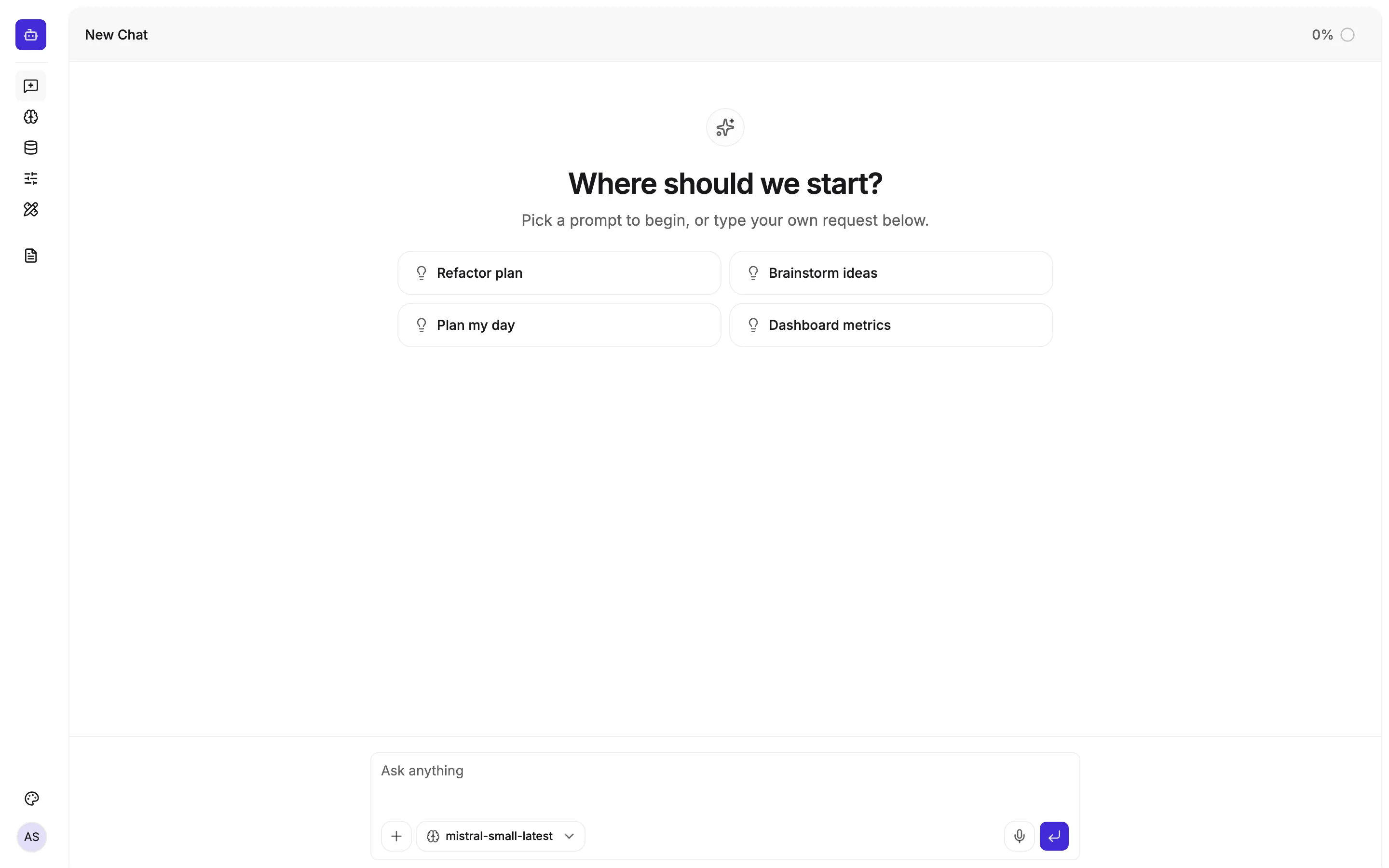
  • New Chat — Mistral streaming with attachments, chain-of-thought, virtualized threads, and 40+ starter prompts
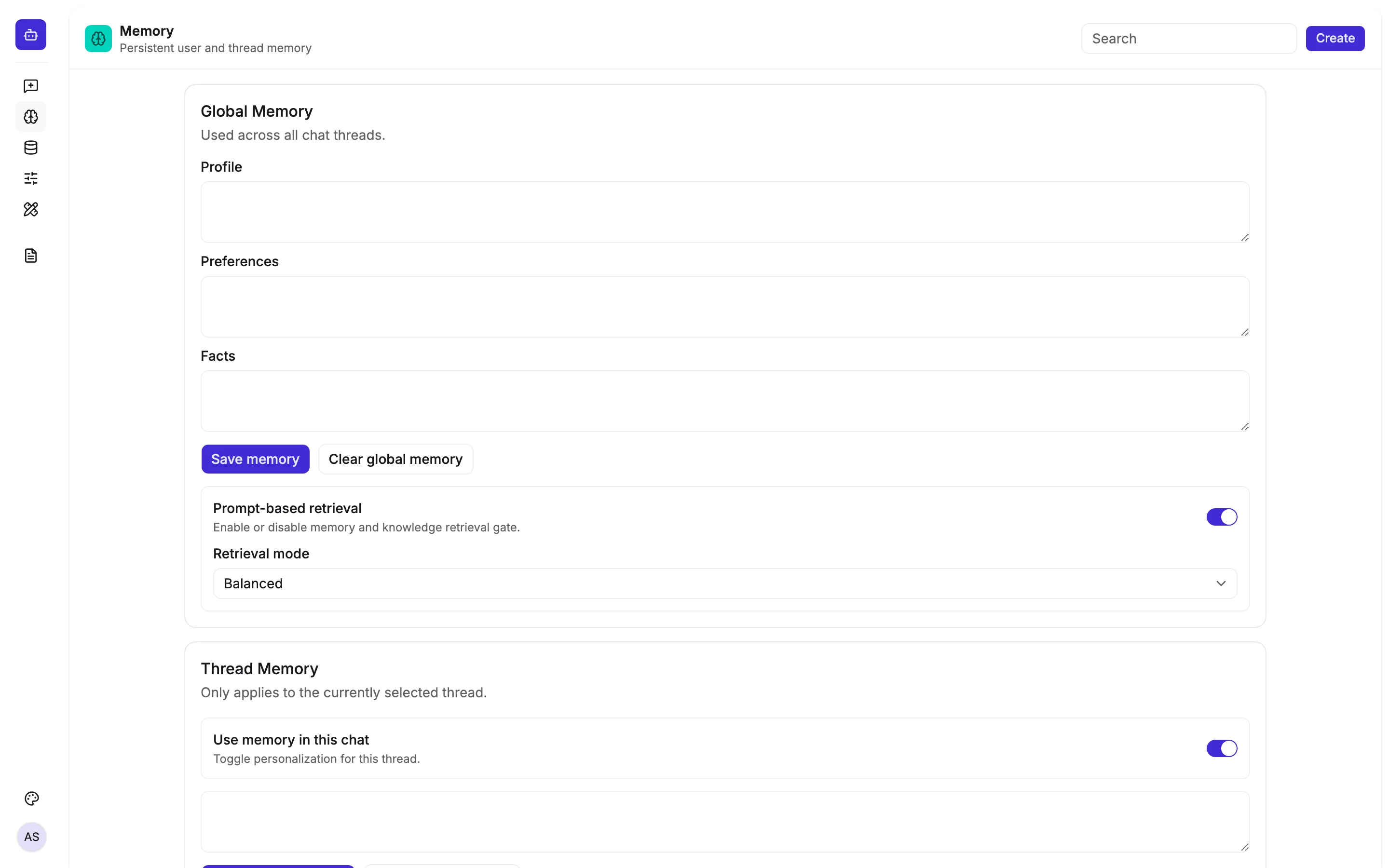
  • Memory — global profile, preferences, and facts plus per-thread context with retrieval gating
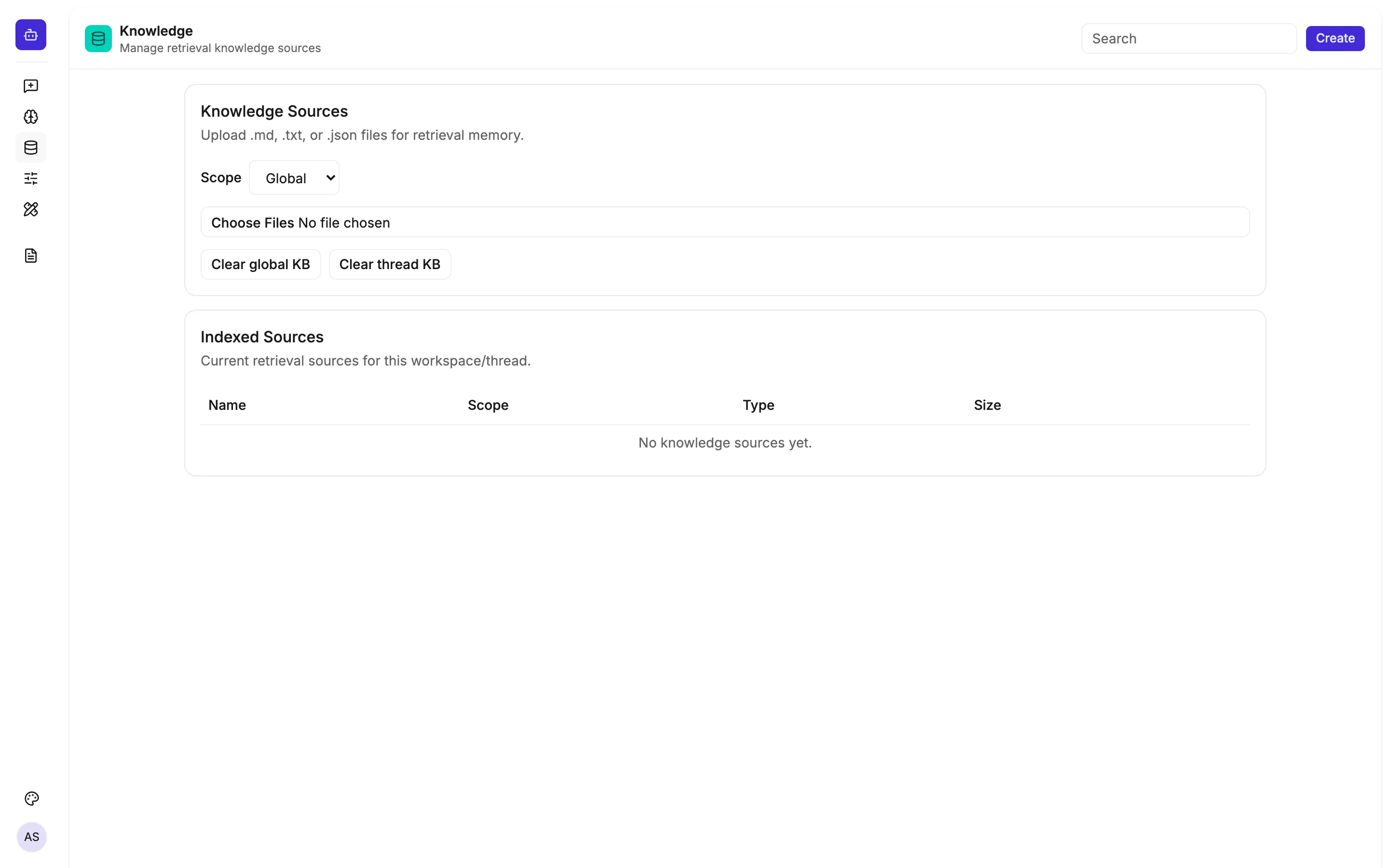
  • Knowledge — client-side RAG with chunked file upload and keyword search
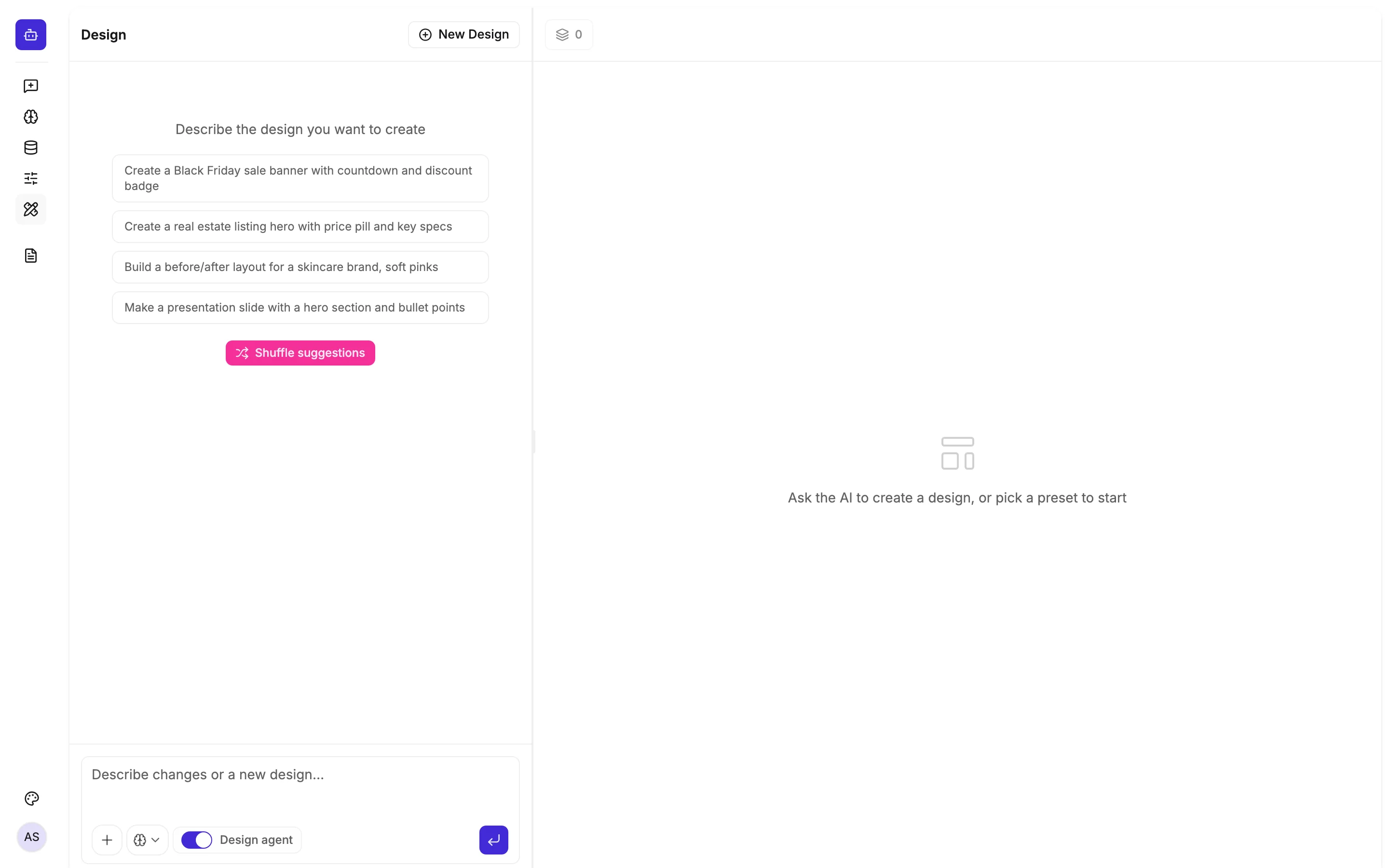
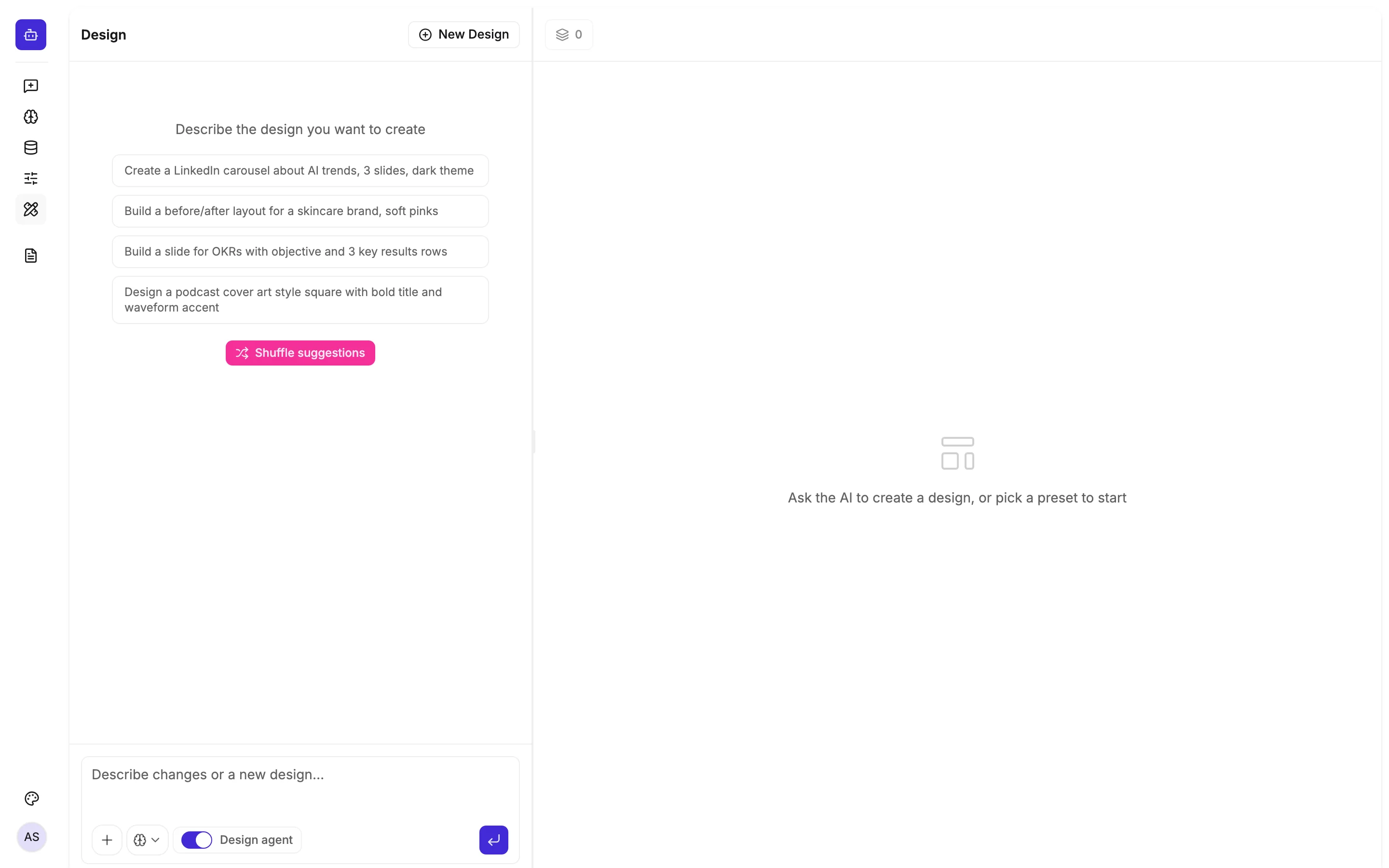
  • Design Studio — split chat + Konva canvas with 20+ agent phases, 35 layouts, and 25+ canvas formats
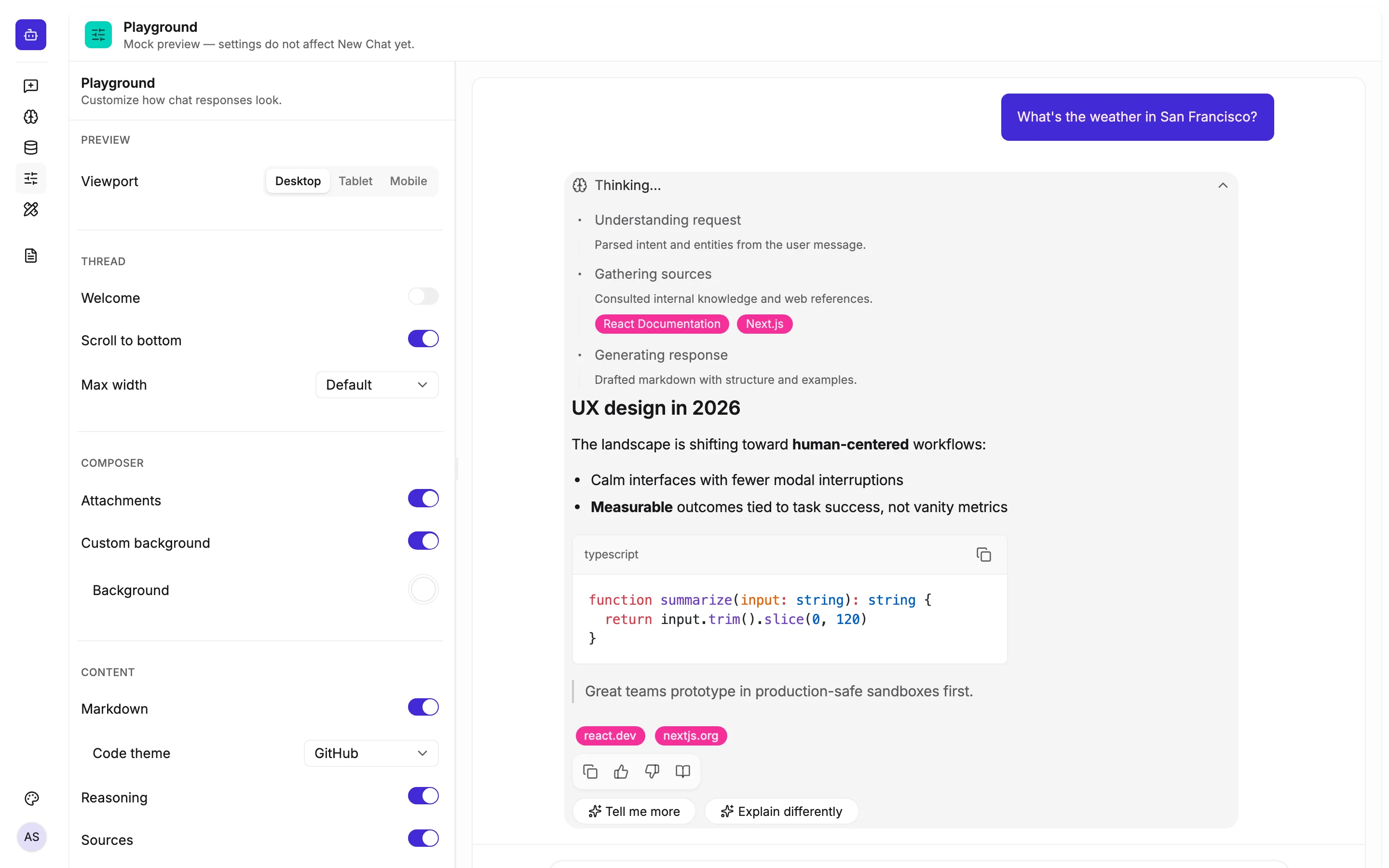
  • Playground — live chat UI configurator for colors, avatars, reasoning, and viewport modes
React
TypeScript
Vite
Tailwind CSS
shadcn/ui
Konva
Zustand
Mistral
Vercel
LLM Chat Shell Design Studio with split chat panel and Konva canvas
Design Studio — conversational layout generation with resizable split panels
New Chat with starter prompt chips and virtualized message listMemory page with global profile, preferences, and thread memoryKnowledge page with file upload for retrieval sources
Core workspace — streaming chat, memory, and knowledge retrieval

Design decisions

  • Resizable split panels — 360px chat column pattern across Design and Playground
  • Multi-phase Design Agent with visible chain-of-thought from intent through critic validation
  • Layout Intelligence — 35 catalogued patterns with fit scoring, region binding, and variant pipeline
  • 8px grid, WCAG AA contrast, and ≤3 dominant colors enforced in design agent prompts

App structure

Design Studio canvas with generated layout and page navigatorPlayground settings panel with live chat preview
Design canvas and UI playground

25+

Canvas formats

8

Design token themes

29

Vitest suites

Outcome

Shipped in ten days (May 5–15, 2026) as a reference implementation for AI workspace UX — from Mistral streaming and client-side RAG through a multi-agent design pipeline with export-ready canvas output. 29 Vitest suites cover the layout intelligence pipeline.